
The browser that won’t leave office.
A Chromium browser for the Mac with tabs in the sidebar, split view, every Chrome extension and uBlock Origin built in. Make it your default. It will never step down.
v0.1.0FreemacOS 14 Sonoma+Apple Silicon


The platform
Ten pledges.
All of them shipped.
Unusual for a campaign, so here they are with screenshots. Everything below is the real app, captured from version 0.1.0.
Pledge No. 01
Tabs belong in the sidebar.
Vertical tabs, pinned tiles up top, splits and groups kept together, and one search for every tab in every window, recently closed ones included.
- Pinned tiles
- Tab groups
- Search Tabs ⇧⌘A
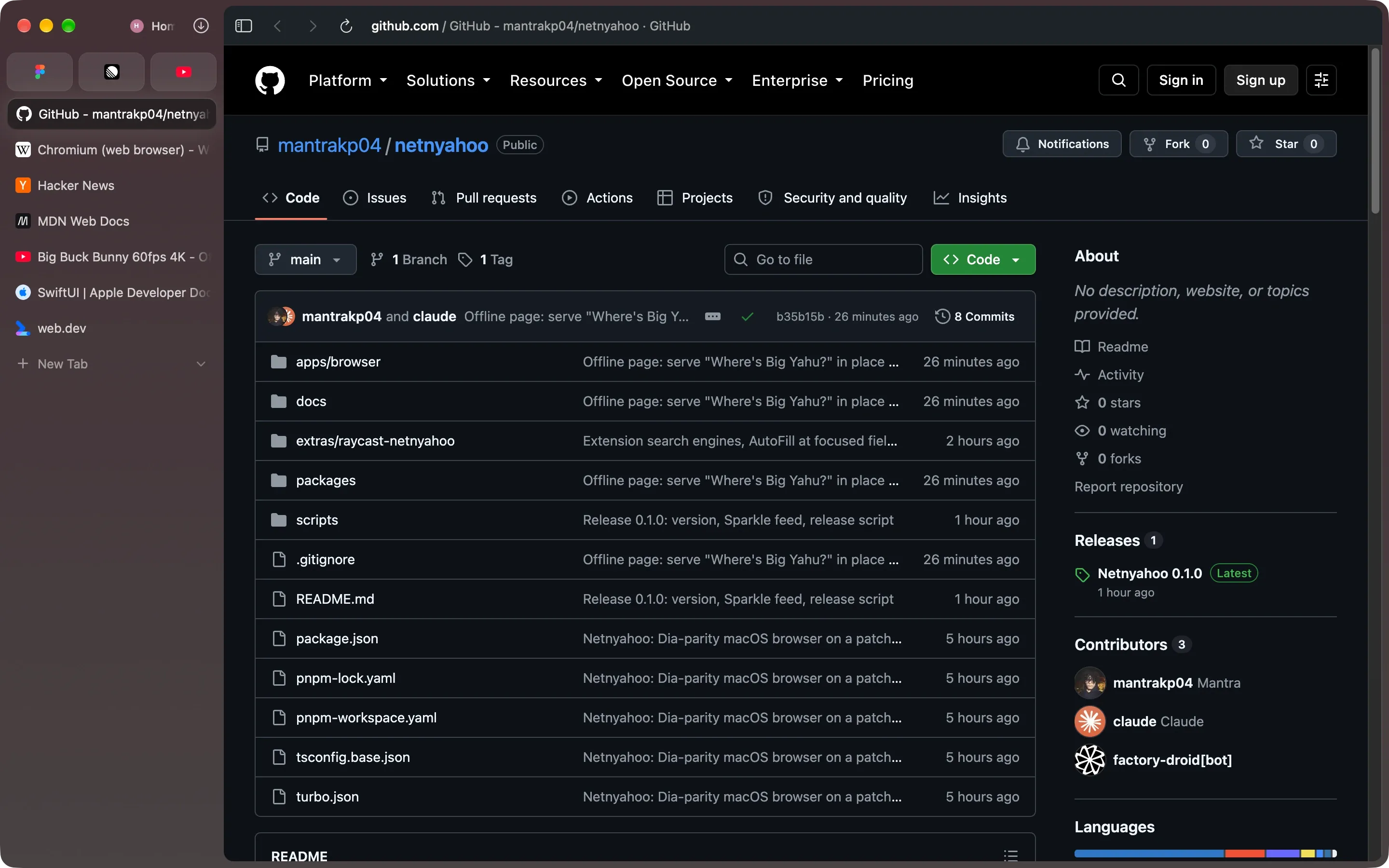
Fig. 3 — The sidebar, and the source Pledge No. 02
One bar. No filibuster.
⌘L opens the command bar over the page. Type a word and it offers the tab you already have open before it offers a search.
- ⌘L
- Switch to Tab
- Any search engine
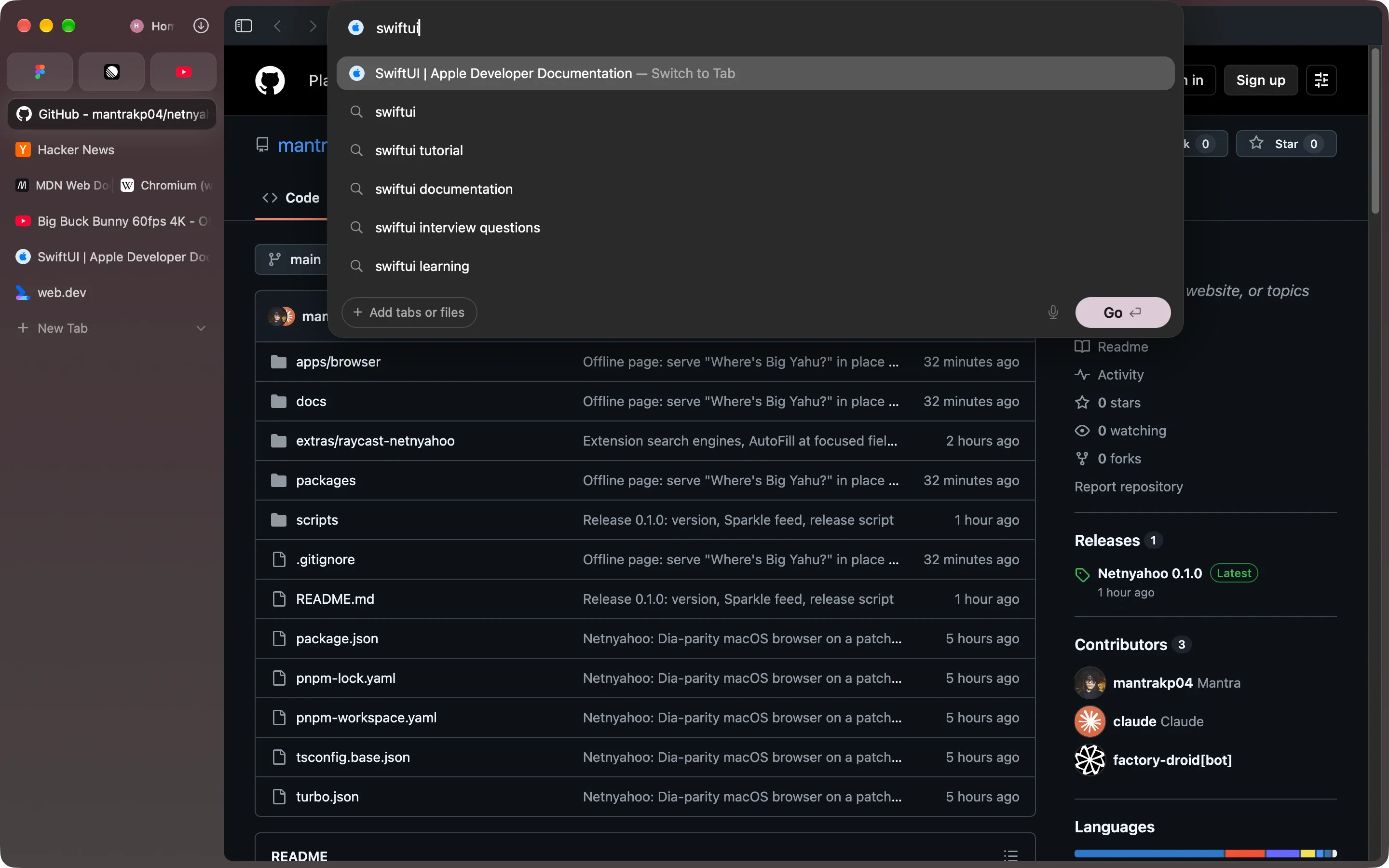
Fig. 4 — The command bar Pledge No. 03
Two pages, one window, no coalition talks.
Split view holds up to three pages, side by side or stacked. Drag a tab onto the page to split it. Each pane is a real Chrome tab at its own size.
- Up to 3 panes
- Side by side or stacked
- Drag to split
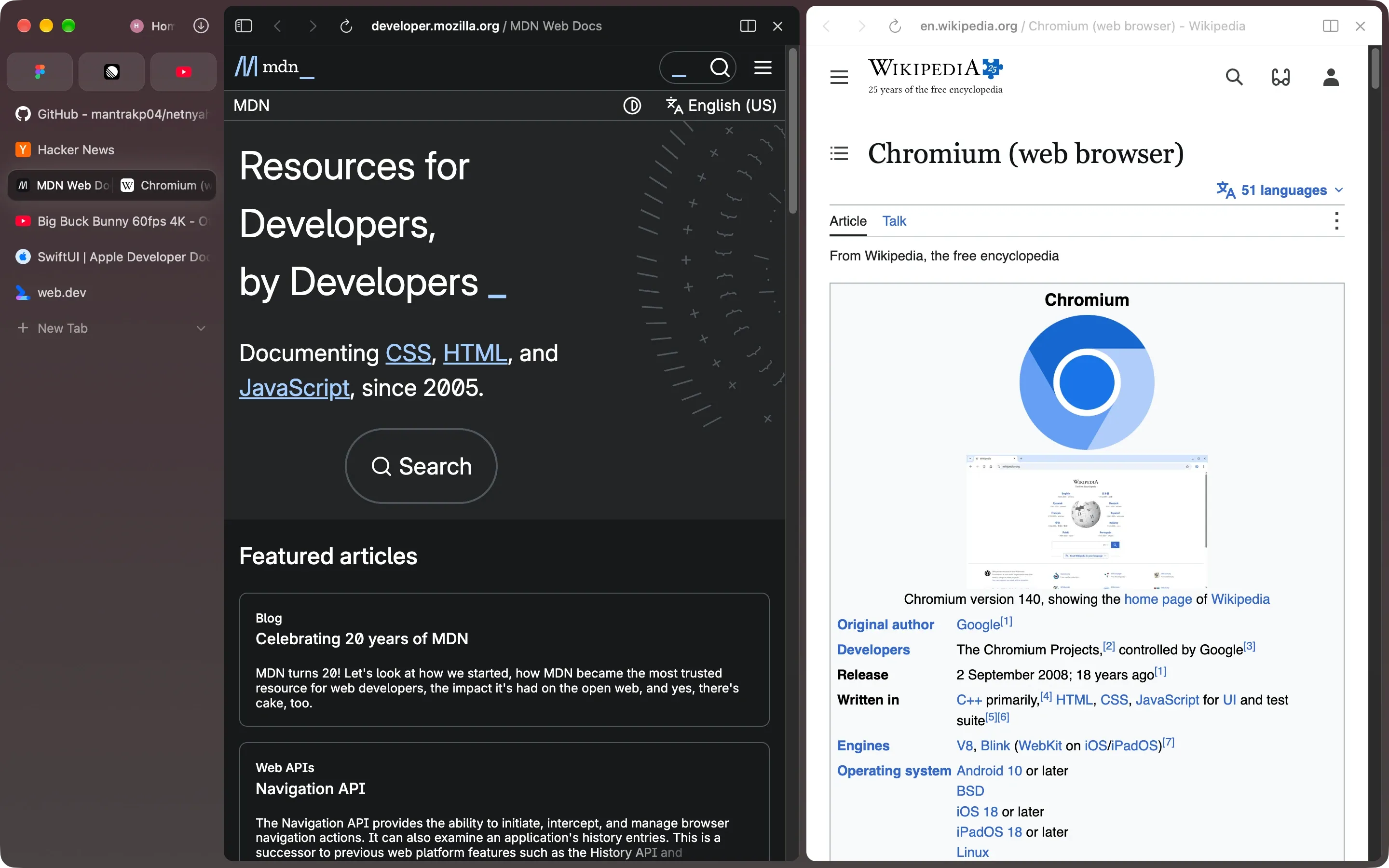
Fig. 5 — Split view Pledge No. 04
Separate profiles for separate lives.
Each profile is its own Chrome profile, with its own cookies, logins, passwords, extensions and colour, down to the painted mark on the new tab page. Switch with ⌃1–9 or swipe across the sidebar. Plausible deniability comes standard.
- Per-profile everything
- ⌃1–9
- Two-finger swipe
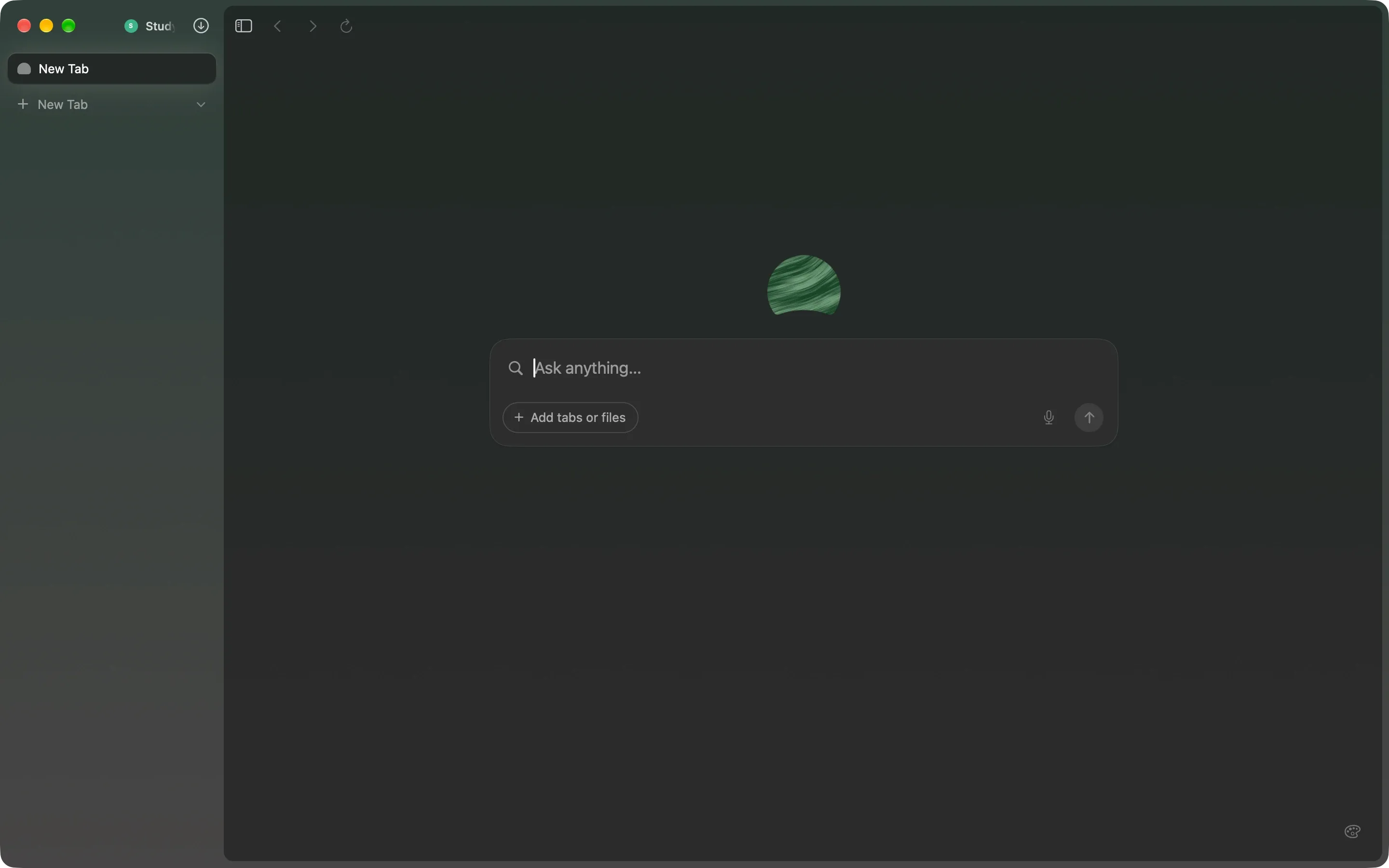
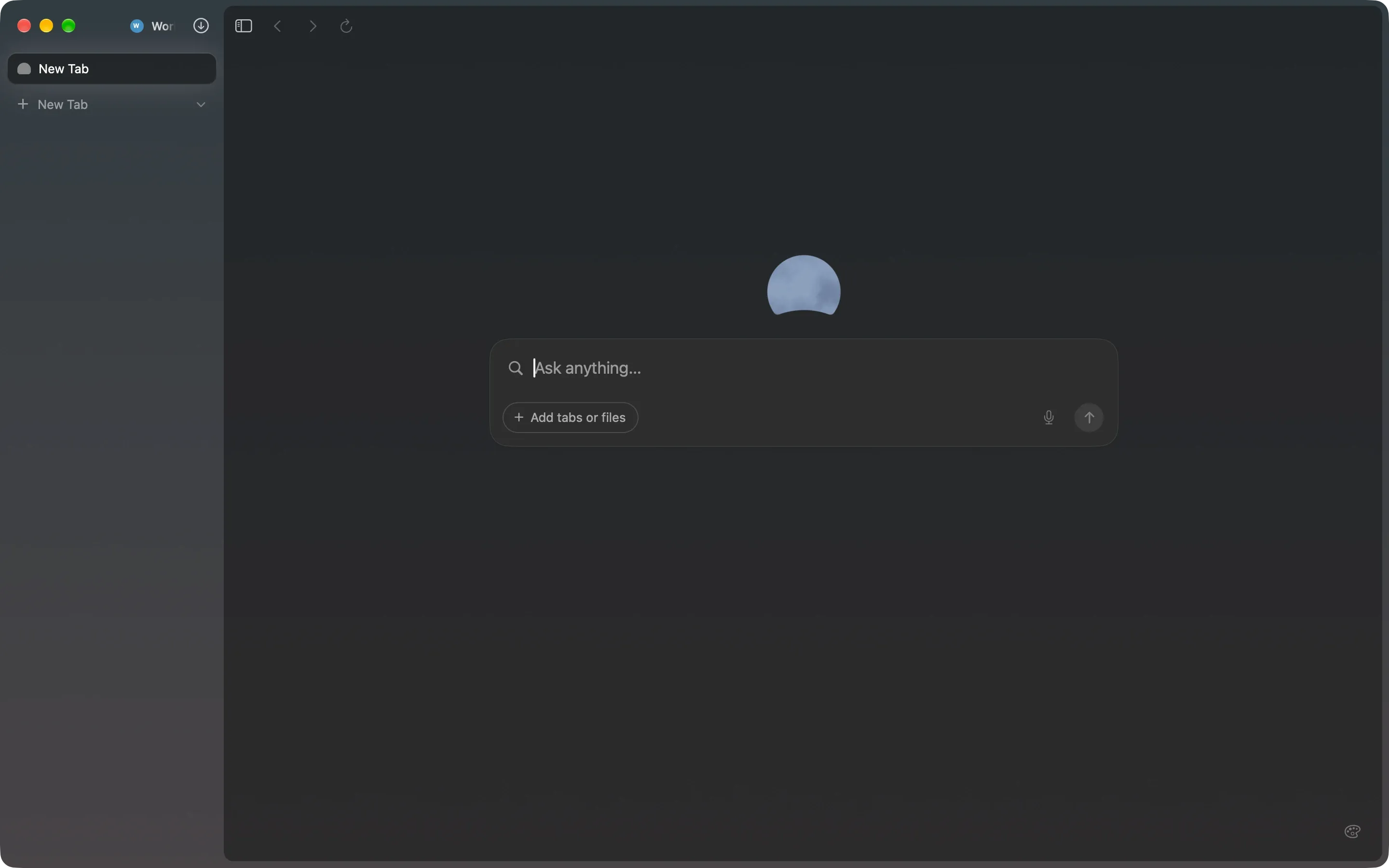
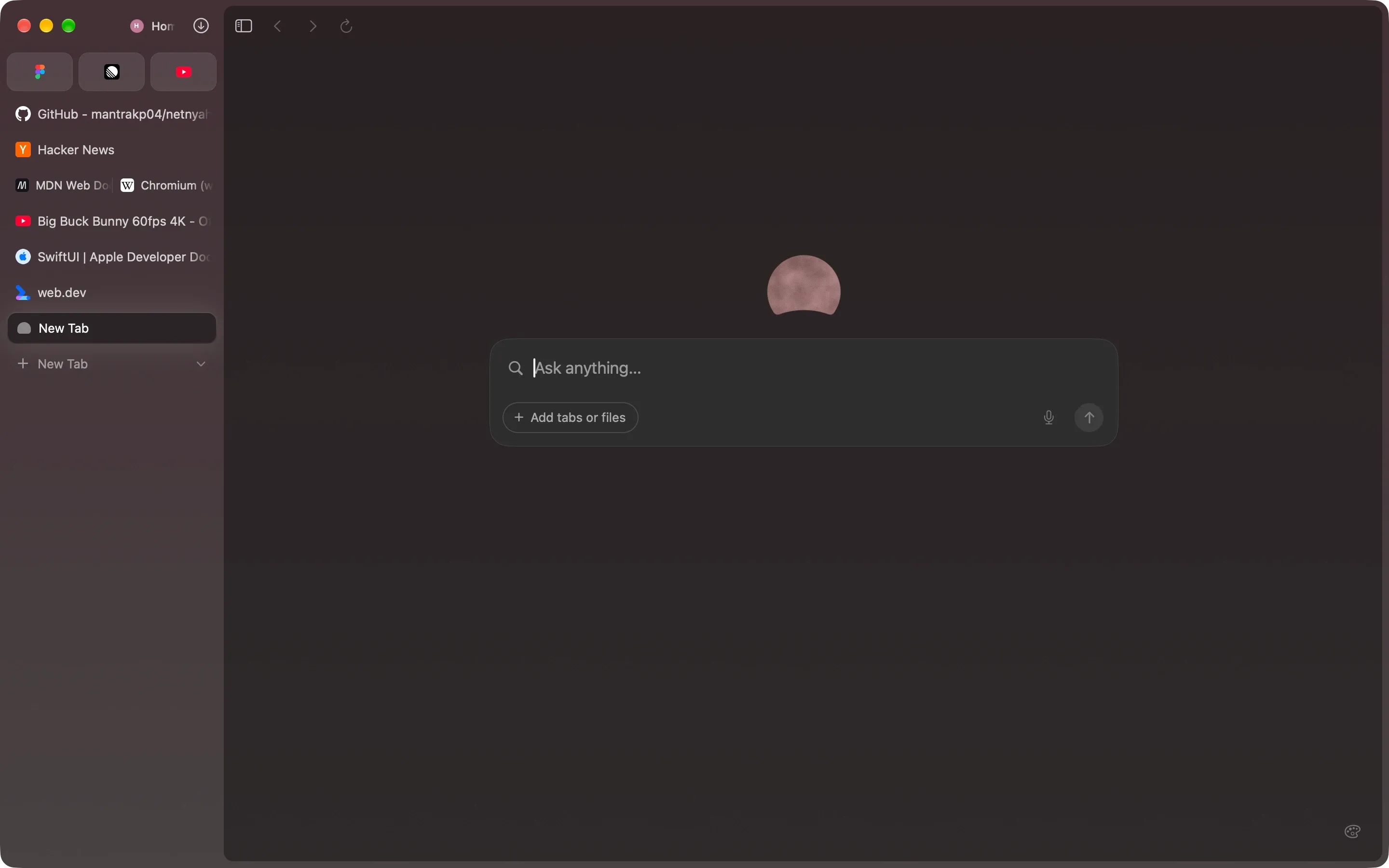
Fig. 6 — Three profiles, three new tab pages Pledge No. 05
Forms a coalition with any extension.
Install straight from the Chrome Web Store. Extensions run per profile and keep themselves up to date, because underneath it is Chrome. The store still asks you to switch to Chrome; the button next to it says Add to Netnyahoo.
- Chrome Web Store
- Manifest V3
- Auto-update
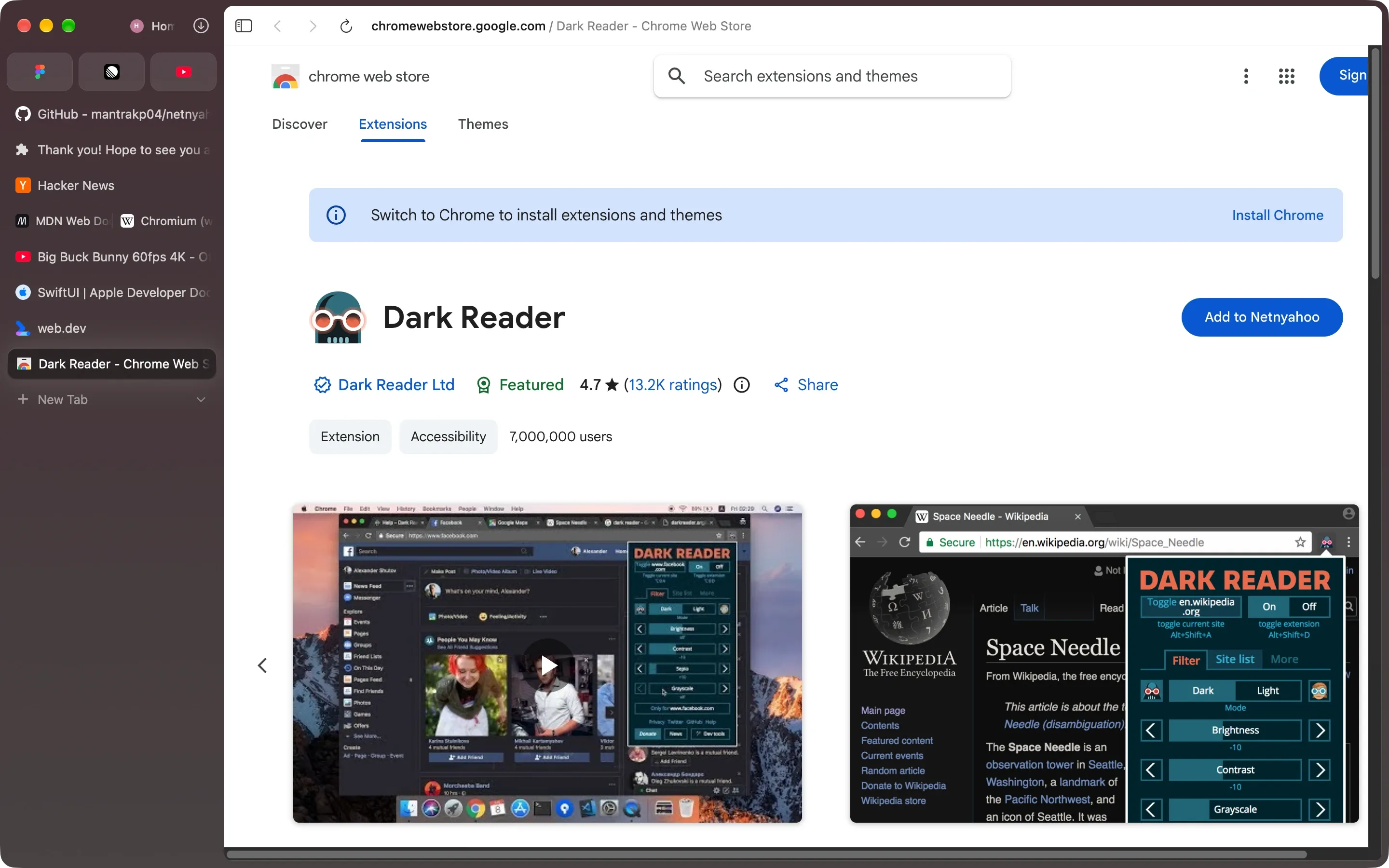
Fig. 7 — The Chrome Web Store, working Pledge No. 06
Tracks nothing. Unusual, for a man in his position.
uBlock Origin Lite ships in every profile, incognito included, and blocks ads and trackers from the first page, on your Mac. Cookie banners too, with one switch. The engine is built with ungoogled-chromium’s patches, so Google sign-in, crash reporting and the background pings are compiled out.
- uBlock Origin Lite
- ungoogled-chromium
- No analytics
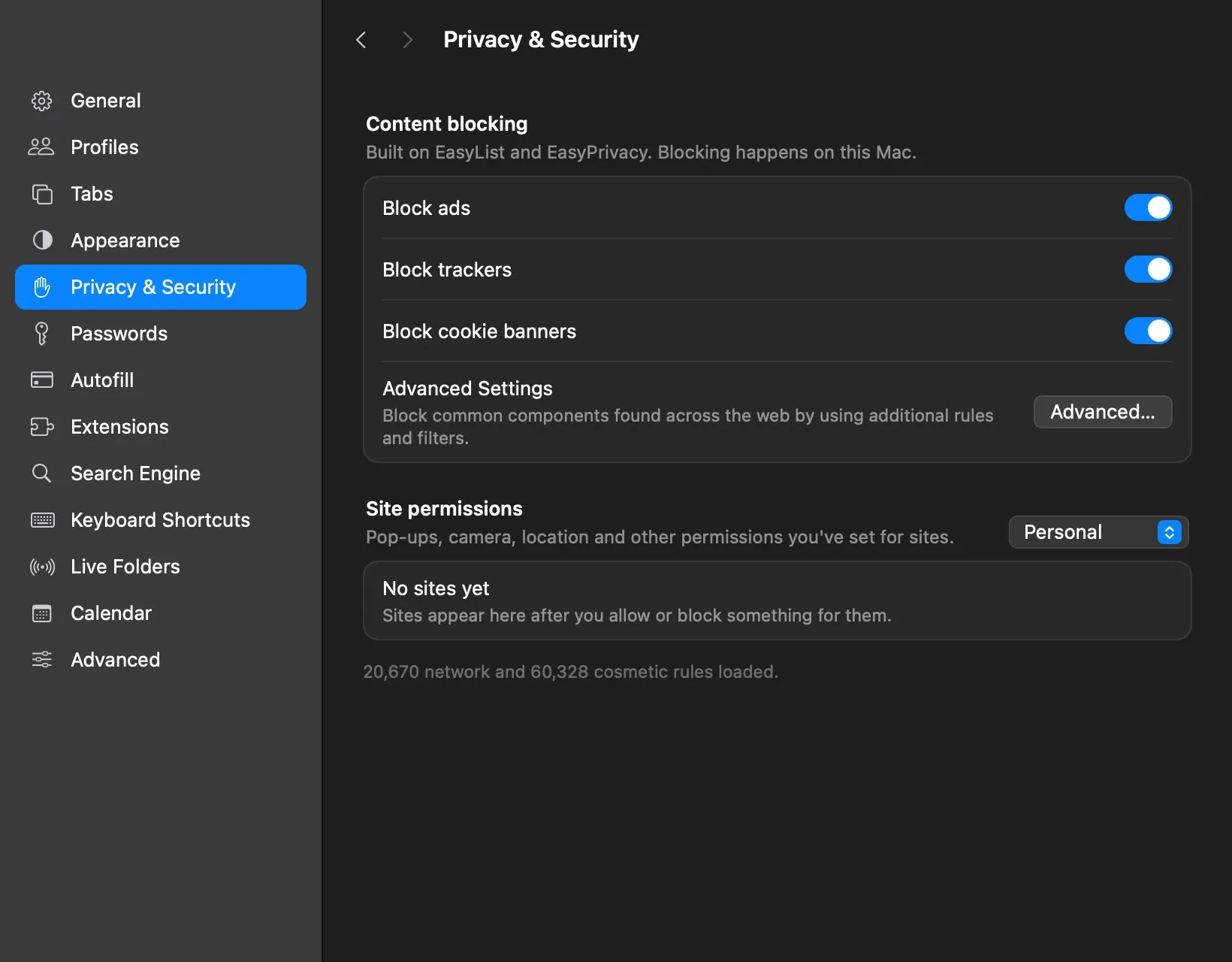
Fig. 8 — Settings › Privacy & Security


Also passed, without a photo op
Pledge No. 07
Passwords and passkeys
Chrome’s password manager and autofill, per profile. Passkeys with Touch ID or your phone. Keeps secrets better than his cabinet.
Pledge No. 08
Annexation, but consensual
Import bookmarks, history, open tabs and passwords from Chrome, Arc, Safari, Firefox, Edge, Brave, Opera or Vivaldi; Arc’s spaces and pinned tabs too.
Pledge No. 09
Picture in Picture
Chrome’s own, plus a stash: push the video off the edge of the screen and it waits there.
Pledge No. 10
Incognito
⇧⌘N. Always dark, kept in memory, gone when the window closes. Ad blocking stays on.
The record
It’s actually Chromium.
Not a WebKit skin and not Electron. Netnyahoo is our own build of Chromium, patched and compiled from source, hosted in a native Mac shell written in React Native, Swift and Objective-C++. Unlike most campaign promises, all of it can be checked: the patches are in the repository.

Wanted
for questioning
Offline page · in development
Where’s Big Yahu?
When the Wi-Fi drops, Chrome gives you a dinosaur. Netnyahoo gives you a ballroom of donors, lobbyists and very generous friends, and one man hiding among them. It’s coming to the offline page in a later term. Until then, practise here: he’s in this picture.

Press conference
Questions from the press.
Unlike some, we answer them.
- Is this a joke?
- The name is. The browser isn’t: it’s a full Chromium browser with the extensions, passwords and codecs you’d expect. The satire is aimed at Benjamin Netanyahu and his government’s politics, and at nobody else.
- macOS won’t open it.
Version 0.1.0 is signed with a Developer ID but not yet notarized by Apple, so Gatekeeper blocks the first launch. Once:
- Open the DMG and drag Netnyahoo into Applications.
- Open Netnyahoo. macOS refuses; click Done.
- Go to System Settings › Privacy & Security, scroll down, and click Open Anyway.
Or, in Terminal:
xattr -dr com.apple.quarantine /Applications/Netnyahoo.app- Will it run on my Mac?
- If it has Apple Silicon (M1 or later) and runs macOS 14 Sonoma or later, yes. There’s no Intel build. The download is 202 MB.
- What doesn’t it do yet?
- Sync, Translate, and Widevine DRM, so Netflix and other protected video won’t play. Passkeys stored in iCloud Keychain are waiting on an entitlement from Apple; Touch ID and phone passkeys work. There’s no AI assistant.
- Does it update itself?
- The app updates through Sparkle with signed releases. Extensions update themselves through the Web Store.
- What does it collect?
- Nothing. The app has no analytics, and Chromium’s crash reporting and usage pings are compiled out. The sites you visit, the extensions you install and your search engine see what they always see. Google is the default search engine until you change it; nobody paid for that.
- Is this Dia?
- No. The interface follows Dia’s closely. Netnyahoo has nothing to do with The Browser Company, which has not been asked for its opinion and would probably rather not give one.
- Is it really open source?
- All of it, including the Chromium patches, is on GitHub. Issues and pull requests are welcome; so is a fork.
- Why “Netnyahoo”?
- Because a browser should do what it’s told and leave when asked. Some offices could take notes.
Election day is today
Elect it
default.
Free, 202 MB, and it leaves when asked: drag it to the Trash. We checked.
macOS 14 Sonoma or later · Apple Silicon · First launch help